Tech tutorial video maker — Terracotta studio style
Make a tech tutorial video with UI cards floating in light 3D on cream: numbered labels, rolling counters, terracotta plates and italic serif captions.
Sisältyy Starter-pakettiin, mukana kaikki 27 tyyliä ja omasi · esikatselun on renderöinyt ClipOnIt-moottori
Miltä tämä tyyli näyttää
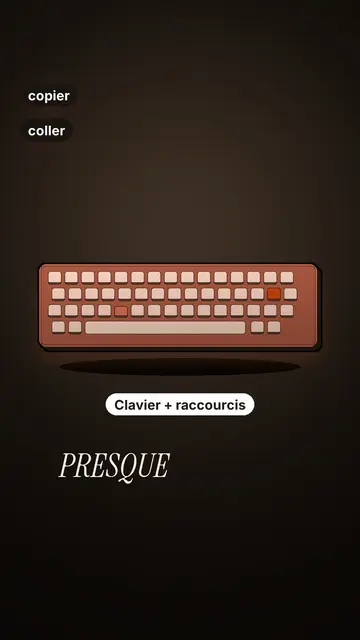
Terracotta studio explains a tool as if on a tidy workbench. On a cream background, interface cards float in light 3D, with real perspective and a warm shadow: an app window, a list of steps, an editing timeline, a sound wave drawing itself, a pad of keys lighting up one by one. At the top, a numbered label (“01”, the tool's name, “free”) says where you are and stays put while that tool is discussed. Each card enters on the word that names it.
The promise lands on a solid terracotta plate: an asterisk, an extra-bold grotesque title and an underlined italic serif word. The key number rolls in a giant counter above a floor of small cards in perspective. Small labels pop around the cards on the strong words, and captions run word by word in uppercase italic serif, the key word in terracotta. The end shows a numbered card and a button that lights up and then gets clicked.
Sopivat aiheet
Avoid: stories carried by characters, places or emotions: the style shows interfaces, lists and numbers, not scenes from life. Also avoid topics without steps or a concrete tool; a card should always show something you can do.
- Tool tutorialsEach tool gets its numbered label and its cards: viewers follow the order without getting lost, even in 30 seconds.
- Tech tipsA shortcut, a hidden setting, a command: the lit keys and the window show the exact move.
- How things workA search, a sound, an edit: the card filling up shows the mechanism step by step.
- Free tools and app round-ups“3 free tools”, “5 apps to install”: the plate announces the number, the end card sums up the list.
Videoideoita tässä tyylissä
- 3 keyboard shortcuts that save time
The lit keys, the closed-tabs window, the clipboard history and the card to keep.
- 5 free sites to find sounds
One label per site, the wave drawing itself, the counter of royalty-free sounds and the final list.
- How AI finds an image in one second
The typed search, the scrolling film strip, the image at the exact frame and the accuracy score.
- Editing a video on your phone
The timeline where clips stack up, the sound meter and the “Export” button clicked at the end.
Saat sen 1 klikkauksella
- Avaa tämän tyylin linkki
“Luo video tässä tyylissä” -painike avaa editorin, jossa tyyli on jo valittu. Ilman tiliä rekisteröityminen vie minuutin eikä vaadi korttia.
- Kirjoita aiheesi yhdellä lauseella
Yksi idea riittää. Voit myös liittää tekstisi tai Starterilla puhua mikrofoniin: video rakentuu silloin äänesi varaan.
- Tarkista ja renderöi
Tekoäly kirjoittaa kohtaukset, valitsee tyylin elementit ja ajoittaa ne sanoihin, ääni ja tekstitykset mukana. Sinä korjaat virheet, ja pystysuuntainen MP4 valmistuu muutamassa minuutissa.
Mitä voit muokata
For each scene you pick one to three cards out of twelve (window, list, timeline, wave, pads, counter, meter, score, numbered frames, search, film strip or a library element), the numbered label for that part, up to three small labels and the word where each one appears. A terracotta plate carries the promise, a number shot rolls the key figure, and the end card lists your tools with a button. Your own voice works too: everything locks onto the spoken words.
Piirretty tässä tyylissä
9 517 elementtiä kirjastossa, haettavissa merkityksen mukaan. Muutama niistä:
 Hahmot
 Laitteet
 Asiakirjat ja paikat
 Data
 Taustat
 Käyttöliittymät
 Tiede
 Toiminnot
Usein kysytyt kysymykset
Ilmainen vai ei, tulos, käyttö: lyhyet vastaukset.
Do I need screenshots of my tools?
No. The engine draws the interface cards from your text: titles, lines, keys, numbers. No screenshot or brand logo is used.
Voinko käyttää omaaääntäni?
Yes. Record yourself or import your audio: every card, every key and every caption word locks onto what you say.
How is it different from Clean interface?
Clean interface tells a story in OS-style windows with a clicking cursor. Terracotta studio is built for tutorials: cards in light 3D, a numbered label per tool, terracotta plates and counters.
Onko tämä tyyli ilmaisessa paketissa?
Ei, se kuuluu Starter-pakettiin ($29/kk): 15 videota kuussa ilman vesileimaa, kaikki 27 tyyliä ja omasi. Ilmainen paketti antaa 3 videota kuussa vesileimalla 8 muussa tyylissä: Pixel News, Press paper, Comedy cartoon, Class sketch, Night tale, Social screen, Retro synthwave ja Flat vector.
Jos pidät tästä tyylistä
UI motion design explainer video
Clean interface style · The story played out in clean interface cards: windows, buttons, a cursor clicking on the word, key word in serif.
Tech top list -videotekijä
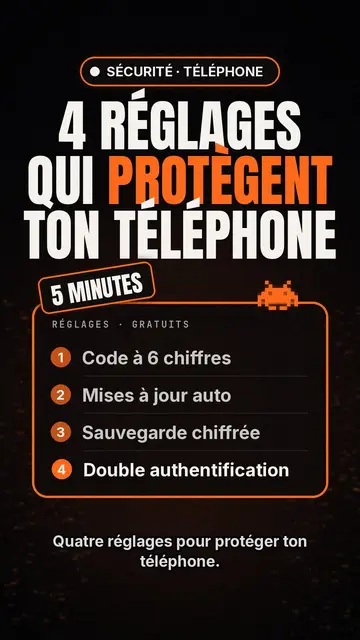
Tech list style · Tech card mustalla, hehkuva merkki, numeroitu lista.
Kinetic typography -videotyökalu
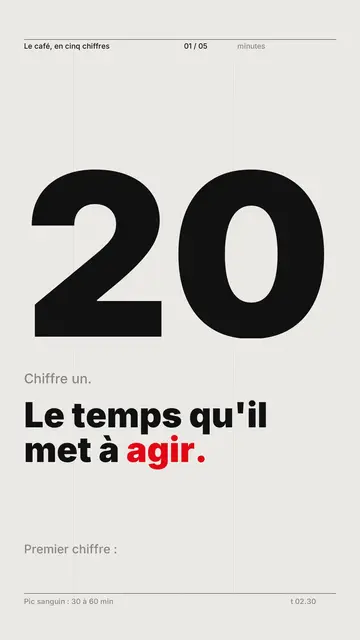
Swiss grid -tyyli · Swiss-typografia: vaalea paperi, tiukka ruudukko, valtava luku, yksi signaalinväri.
Ideasi tässä tyylissä
Kirjoita lause tai sano se: tyyli on jo valittu, kun pääset editoriin.